
01
Save time
Reduce manual data entry, repetitive classification and later searches.
ApexInvoicer turns scattered documents into an organized workflow: it extracts data, supports review and prepares spend information for querying and analysis.
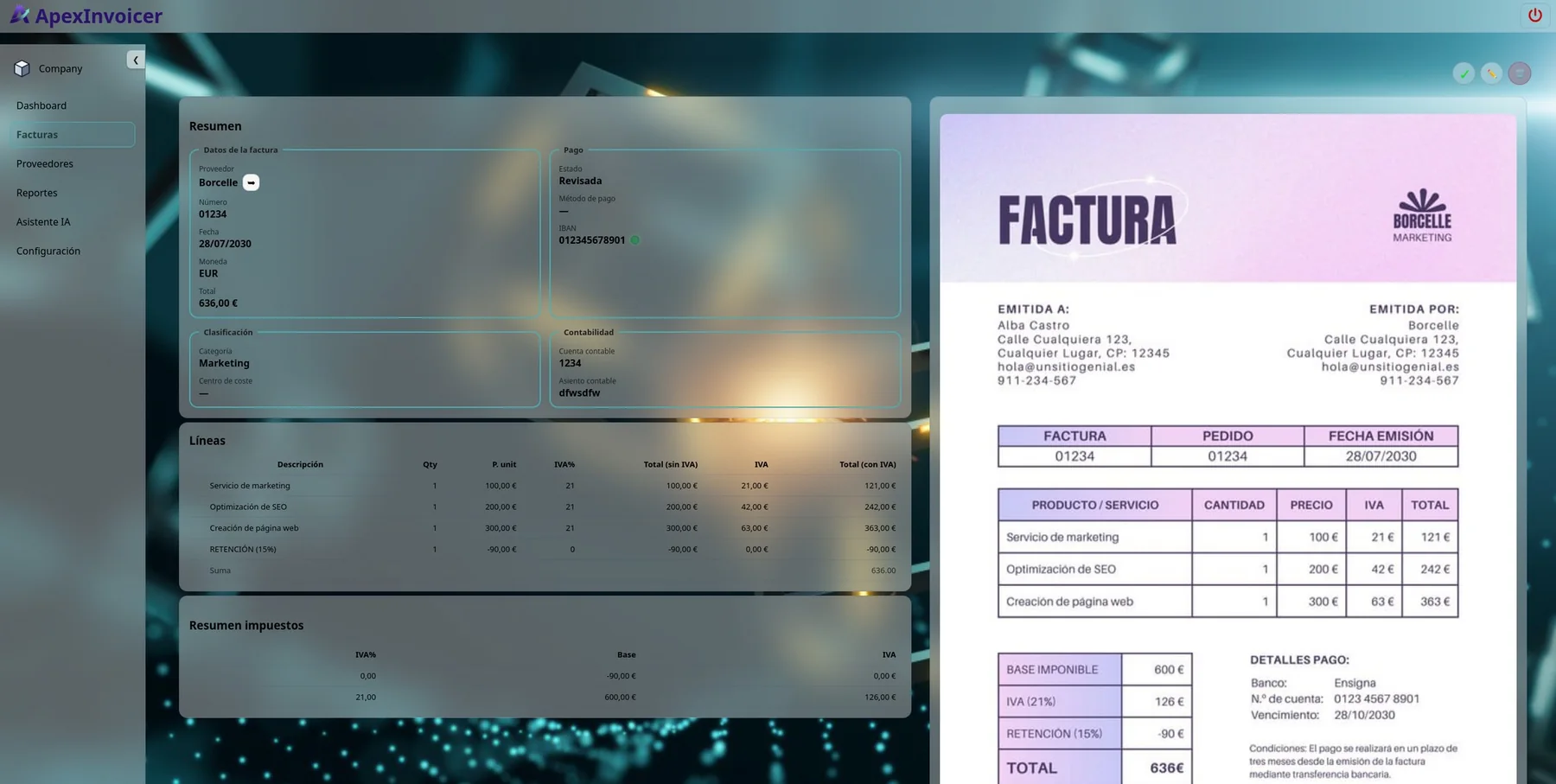
One environment to receive, extract, review, validate, classify and query invoices without jumping between email, folders and spreadsheets.
See the full workflowReduce manual data entry, repetitive classification and later searches.
Duplicates, review warnings and new or suspicious IBANs help detect issues before validation.
Suppliers, categories, cost centers, currencies and trends stop being scattered across folders and spreadsheets.
A clear workflow designed to reduce manual steps.
PDFs and images from the web interface or the company invoice mailbox.
Automatically extracts general data and line items.
Compare extracted data with the document and correct only when needed.
Statuses, warnings, duplicates and IBAN checks help verify invoices before approval.
Categories, cost centers, accounting accounts, payment methods and journal entry.
Filters, dashboards, reports and natural-language questions about spend.
Upload an invoice and ApexInvoicer automatically recognizes the supplier, dates, amounts, taxes and items so you mainly need to review the result.
It can warn you if an invoice appears duplicated, needs review or includes a new bank account before validation.
Attachments received in the company inbox can be added automatically to the process.
Each invoice can be classified so it is easy to retrieve later and understand what the spend relates to.
Create Excel or CSV reports with invoice data to work with or share outside ApexInvoicer.
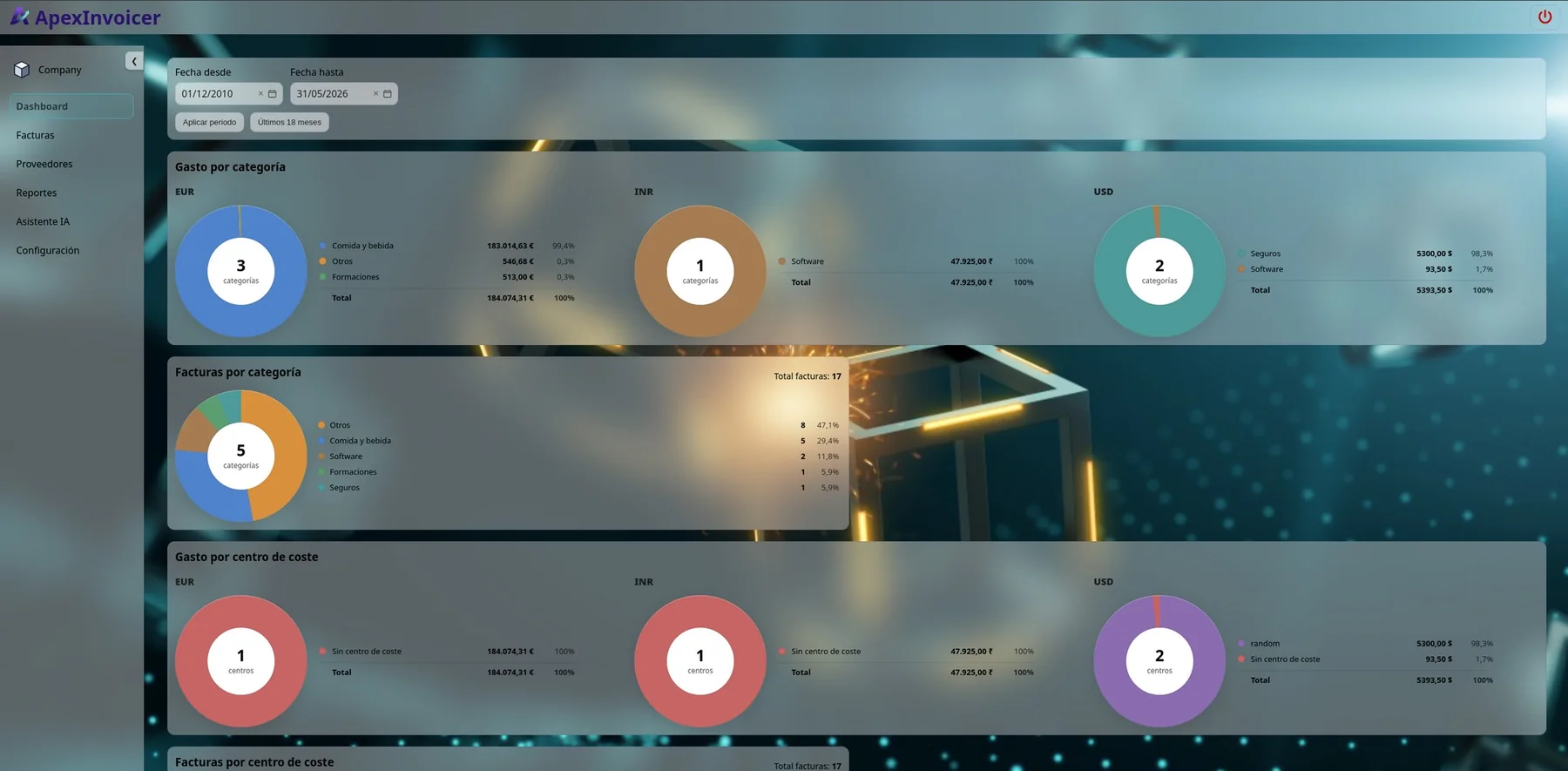
Quickly see categories, cost centers, suppliers, currencies and trends over time.
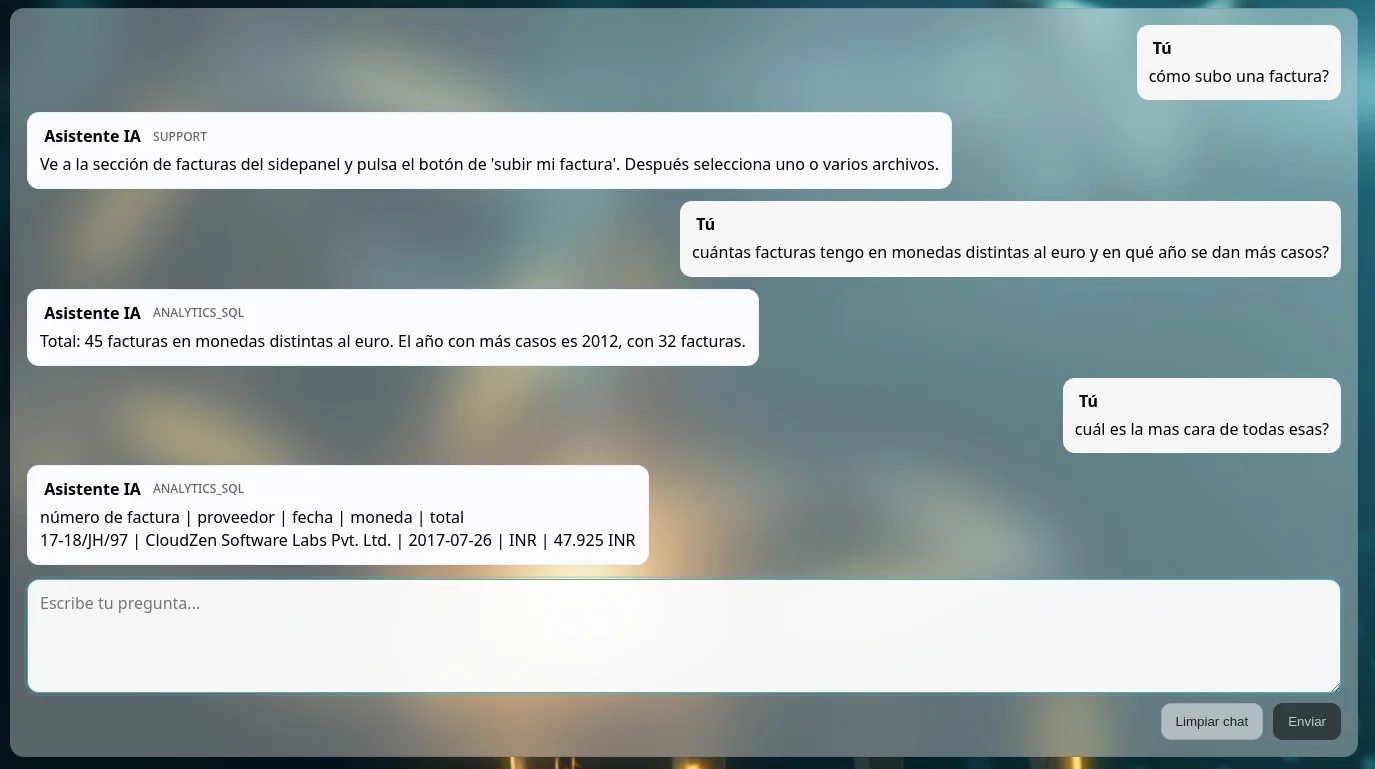
Ask in natural language about spend, suppliers, statuses or trends and continue the conversation without starting over.
Answers depend on the data available in the customer environment and should be treated as analytical support.
Each company works in an independent environment that can be adapted to its corporate identity.
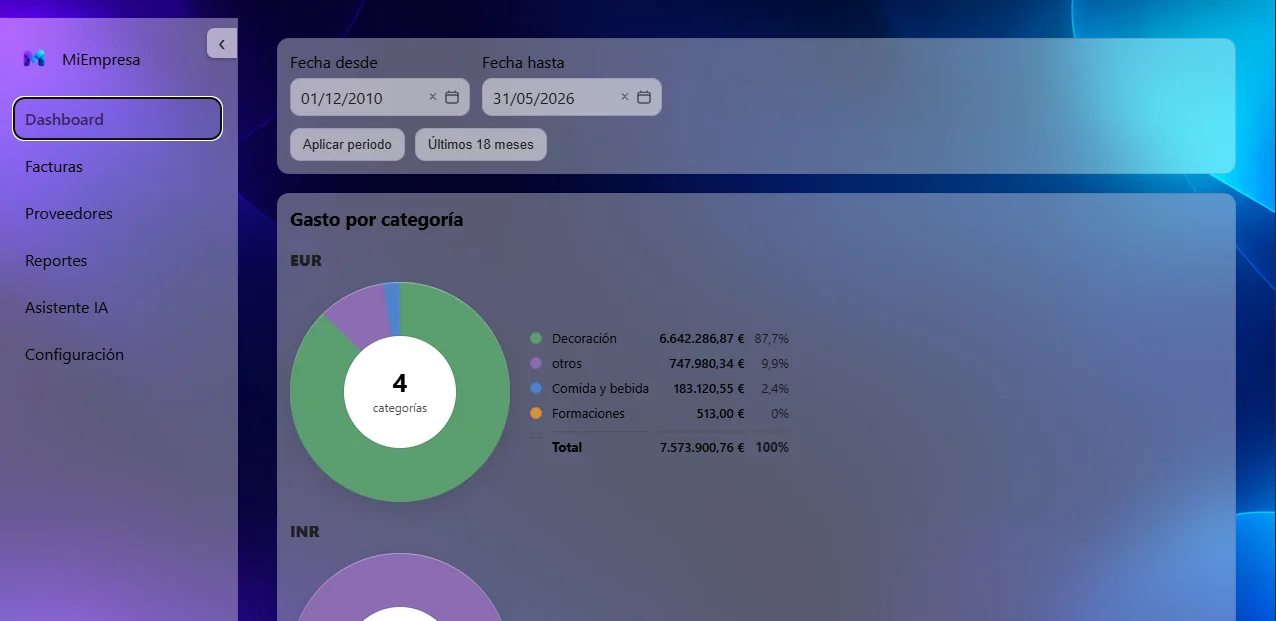
Separated environments, access control and careful handling of information.
Each company works in an independent, protected environment.
Each role accesses the functions relevant to its responsibilities.
Passwords are not stored in readable text.
The AI provider is configured with a Zero Data Retention approach so processed content is not retained.
ISO 27001 implementation and certification is planned as a future objective.
As a cautious estimate, a highly manual workflow may save approximately 2–5 minutes per invoice across data entry, review, classification, search and reporting.
This is an indicative estimate, not a guarantee. It should be validated with real invoices and each company’s current process.
Choose the capacity that fits today. All prices shown include VAT. Higher requirements can be handled with a custom configuration.
For small companies or teams with a limited invoice flow.
For administration and accounting teams with medium volume.
For organizations with higher volume, more users and shared responsibilities.
Prices include VAT. Advanced users count within the total-user limit. For higher requirements, ask about a custom solution.
Centralize intake, review, statuses, suppliers and document search.
Work with line items, taxes, accounts, classification and reports without rebuilding the information.
Review spend, suppliers, trends and specific questions without relying on scattered spreadsheets.
If your case does not fit these answers exactly, tell us about it and we can look at your real process.
Ask a questionExtracted information is reviewed against the original document and can be corrected manually before validation. The goal is to reduce data-entry work without removing control.
For clear, correctly legible invoices, the reading rate is typically close to 100%. Document format and quality can still affect the result, so ApexInvoicer keeps a review step before validation.
Yes. ApexInvoicer can add compatible attachments received in the company environment mailbox to the workflow, in addition to uploads from the web interface.
No. Each company works in a separate environment. Environment separation is part of the service design.
No. AI helps extract, organize and query information. Review and validation remain part of the workflow and under user control.
Published plans cover up to 1,500 invoices per month. Higher requirements can be handled with a custom configuration.
Tell us your volume and how you manage invoices today. The demo will focus on where your team is losing the most time.